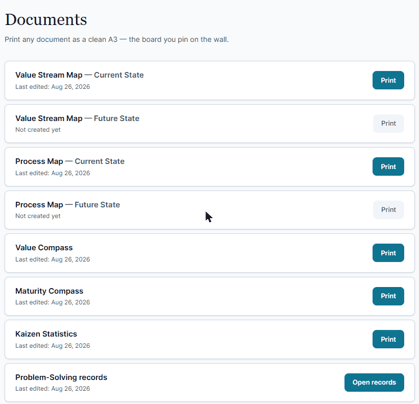
Open Documents for the Space's whole printable record: Value Stream Map (current / future) · Process Map (current / future) · Value Compass · Maturity Compass · Value–KPI Bridge · Kaizen Statistics · Kaizen A3s · Problem-Solving records · Flow workshops.
Click Print, choose the page size, print to paper or Save as PDF. Sheets are designed for A3 — printing to A4 scales to fit. Every export carries the branded title block.
Before the first print, switch the browser's own headers and footers off — in Chrome, More settings → Headers and footers. Left on, every sheet carries the date and the page's full web address, and neither belongs on a document going up on a wall.
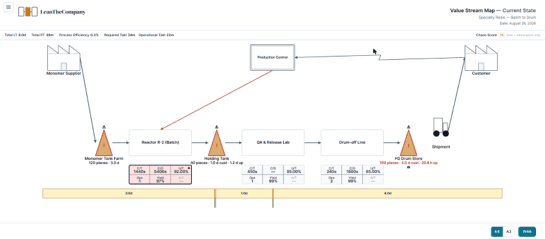
This is the point of the system: the maps and records leave the screen and go on the wall — the universal language of every steering-group review. The maps, the Compass and the Bridge print in English, Swedish and Chinese; the Kaizen sheet is English in v1.0, with the other two following shortly.