Version v1.1
LTC-OS User Guide
Run a Lean transformation as one connected system, not a stack of one-off workshops. Every module, every screen shown, free to read.
LTC-OS is one loop, worked in order: define the value → find where the losses are → see the flow → attack the loss → prove it stuck → keep what you won. Every module below is one turn of that loop, and they feed each other — the Compass sets the takt your VSM reads, the Value–KPI Bridge ranks where to dig, the maps show the waste, the Kaizen cards prove the improvement, and a finished process graduates to your archive.
- 1
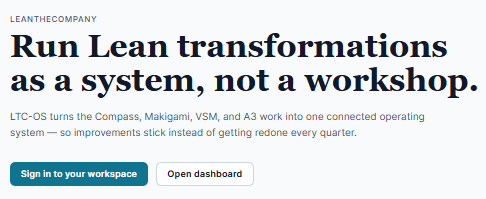 Sign inNo password to forget. Ask for a link, click it from your inbox, and you are in — on any device, every time.Updated 17 Sept 2026Read →
 - 2
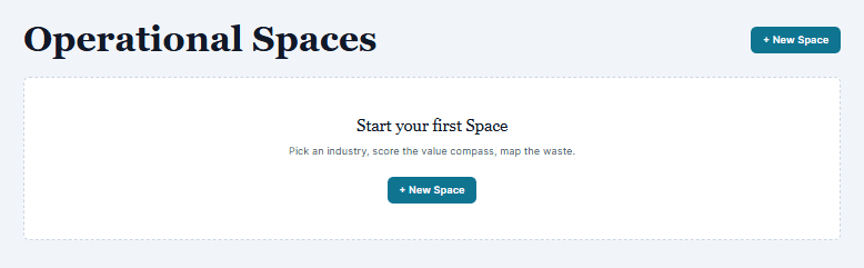 Operational SpacesA Space is one business process, end to end. Create one and the Navigator lays out every map and compass that belongs to it.Updated 17 Sept 2026Read →
 - 3
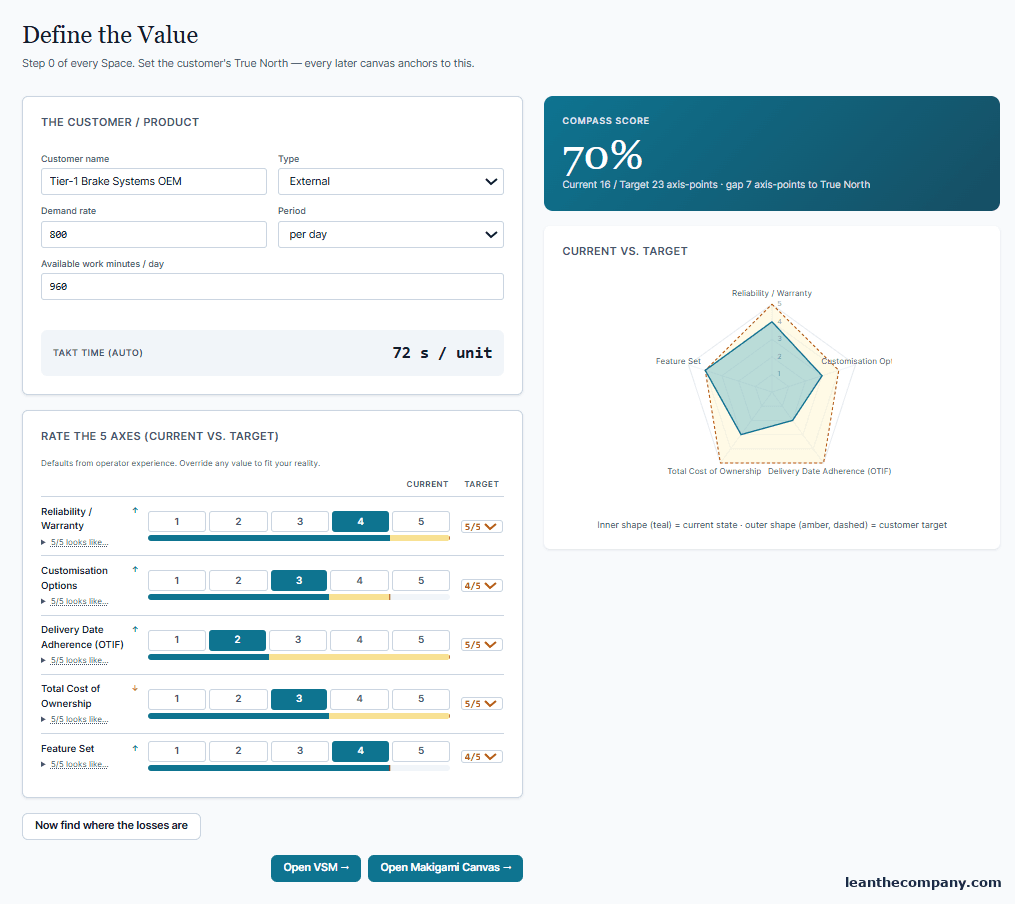 Value Compass — define the valueDefine what your customer actually pays for, rate where you stand against it, and let the takt that follows feed every later map.Updated 17 Sept 2026Read →
 - 4
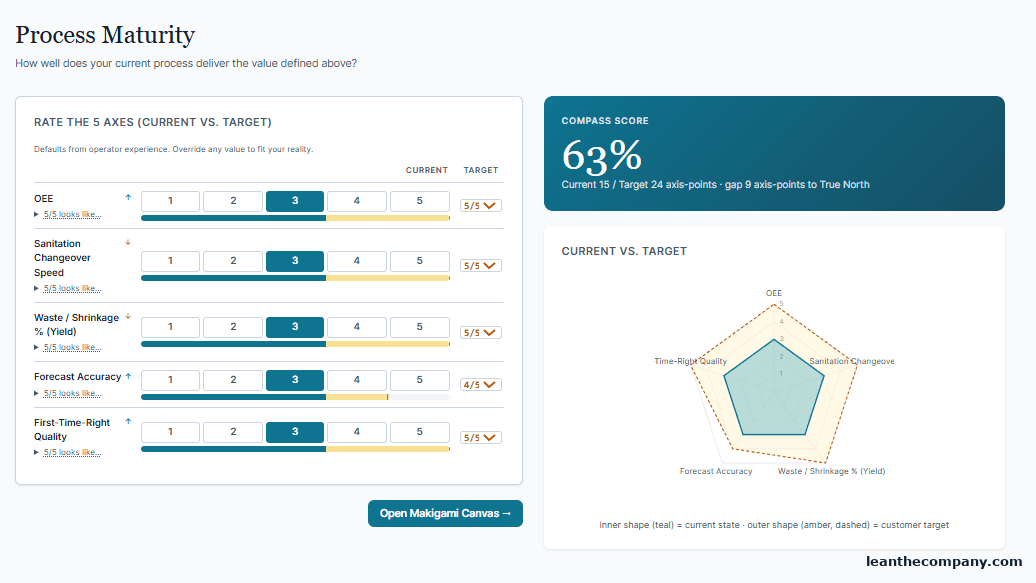 Maturity Compass — the inward lookThe inward look: how well your process actually delivers the value you defined, scored honestly by the people who run it.Updated 17 Sept 2026Read →
 - 5
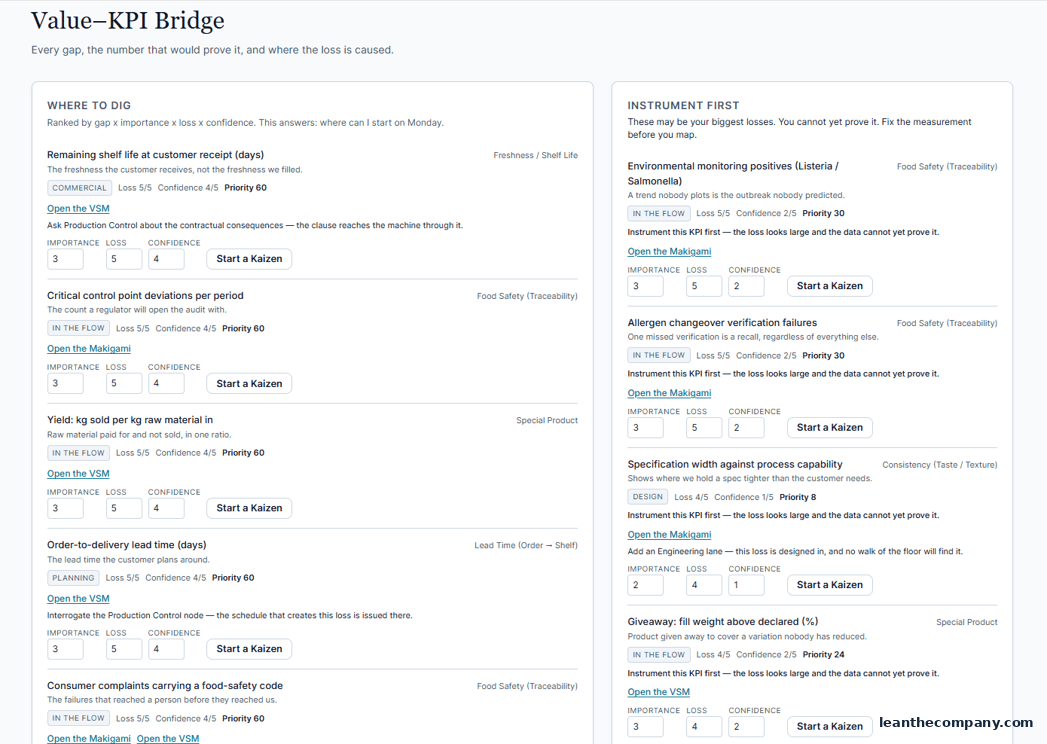 Value–KPI Bridge — from value to attackable numbersTurn the gaps between value and delivery into numbers you can attack, ranked so the next map starts where the money is.Updated 17 Sept 2026Read →
 - 6
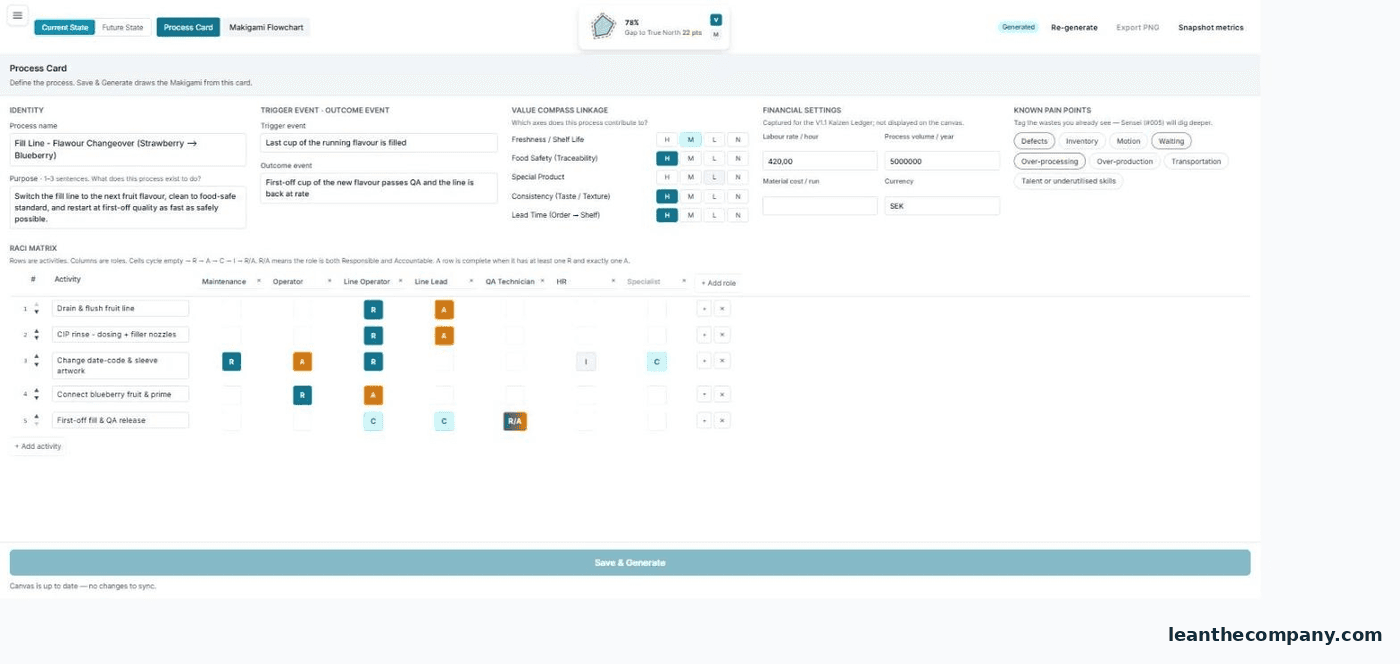 Process Map (Makigami) — the office flowMap the office and information flow the way it really runs — activities, roles, handovers, and the waiting nobody times.Updated 17 Sept 2026Read →
 - 7
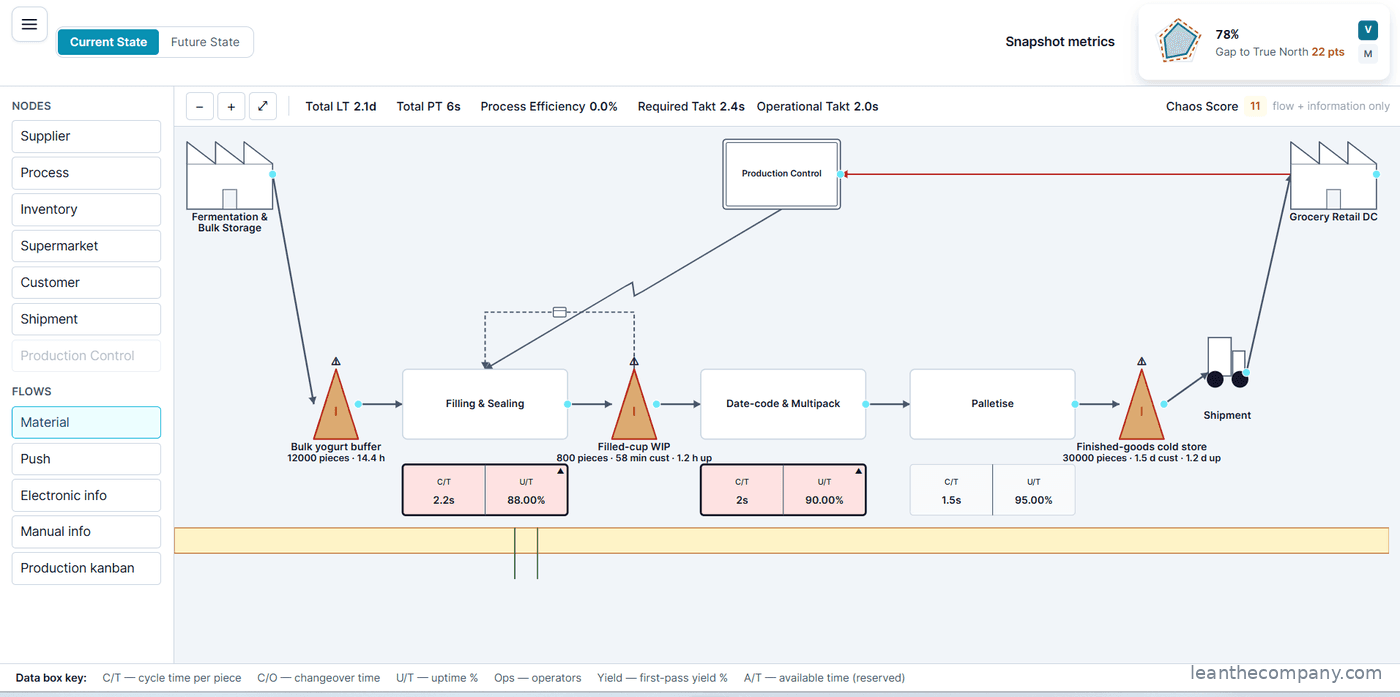 Value Stream Map — the material flowDraw the material flow end to end against the takt the Compass set, and find the process node where lead time stops matching demand.Updated 17 Sept 2026Read →
 - 8
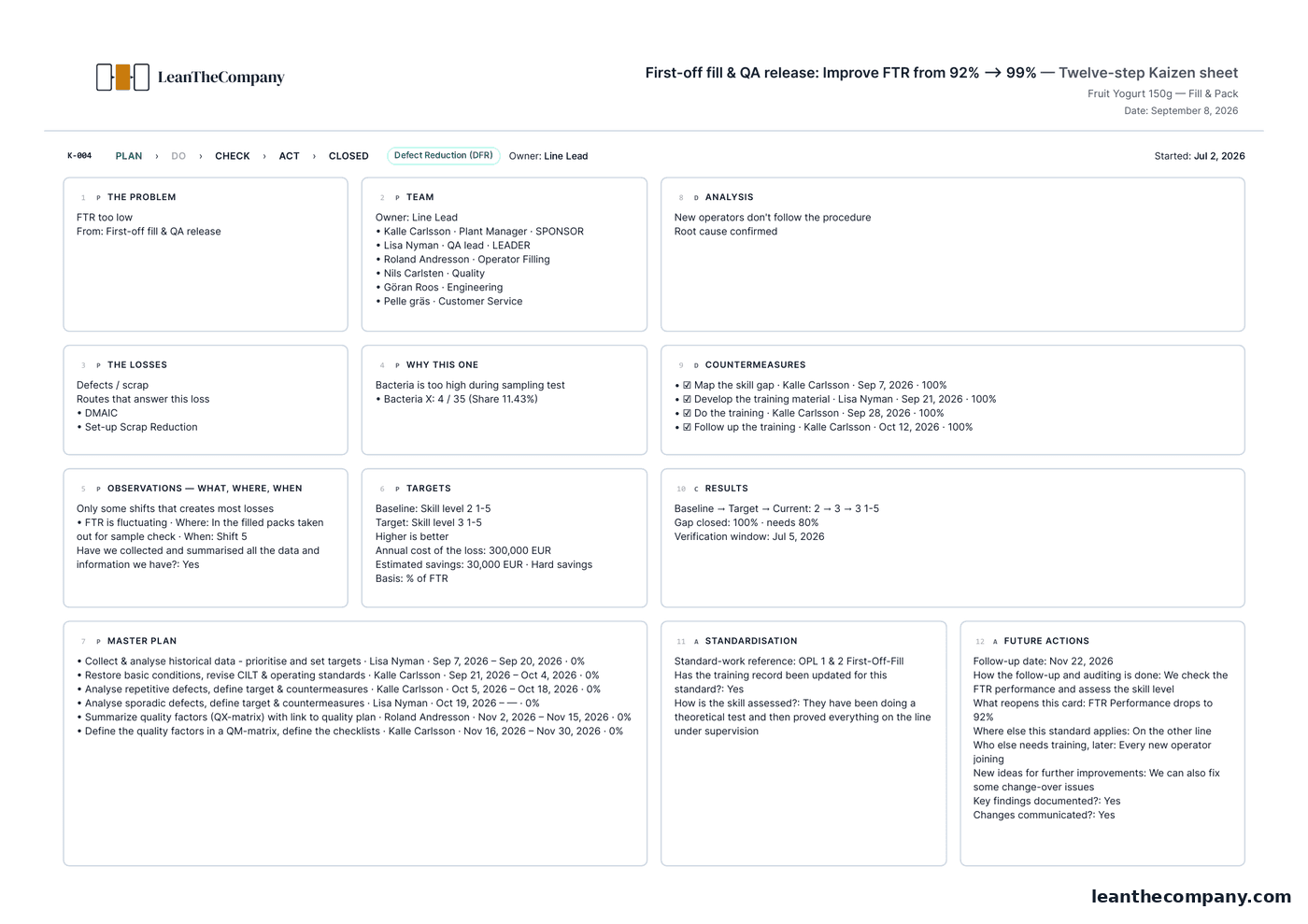 Kaizen — attack the loss, prove it stuckAttack a loss with an owner, a date and a countermeasure on every step — then prove the reduction instead of assuming it.Updated 17 Sept 2026Read →
 - 9
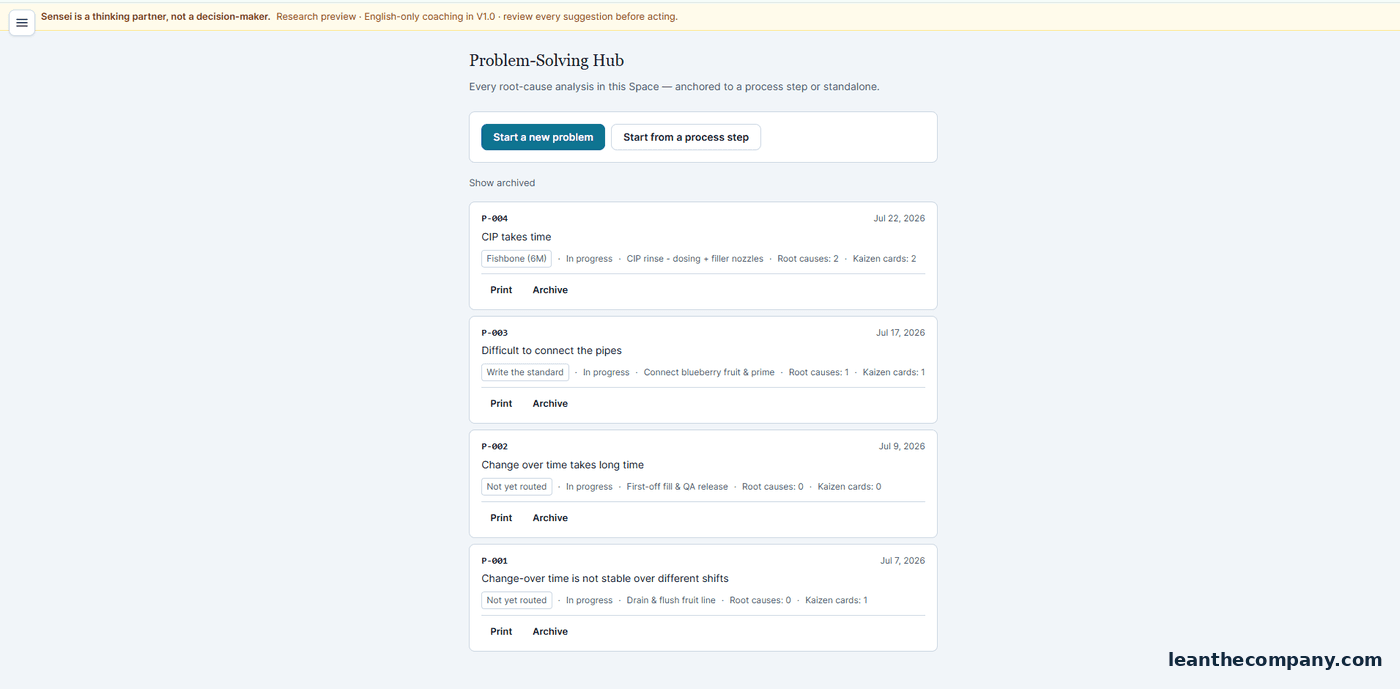 Sensei – Problem SolvingA thinking partner, not a decision-maker. It works the problem with you from your own map, takt and losses — you review every suggestion.Updated 17 Sept 2026Read →
 - 10
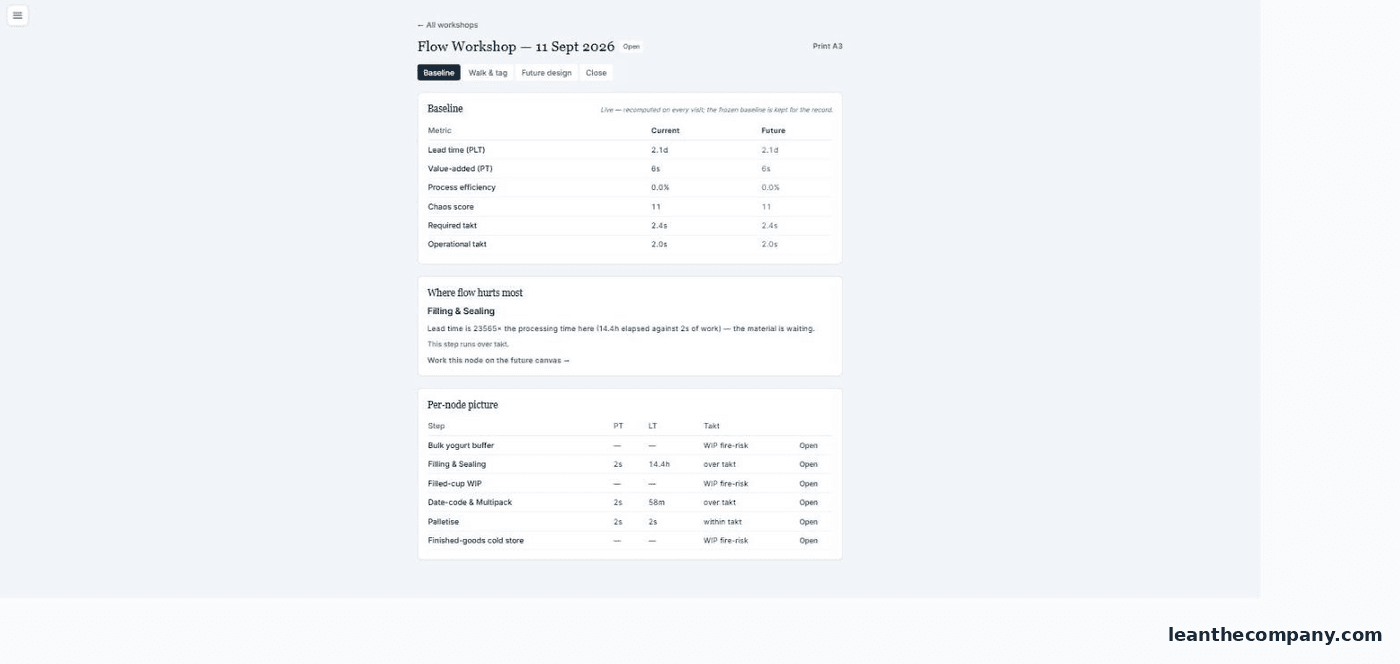 Sensei – Flow OptimizationRun dated flow workshops on your own value stream, stage by stage, with the software holding the numbers between sessions.Updated 17 Sept 2026Read →
 - 11
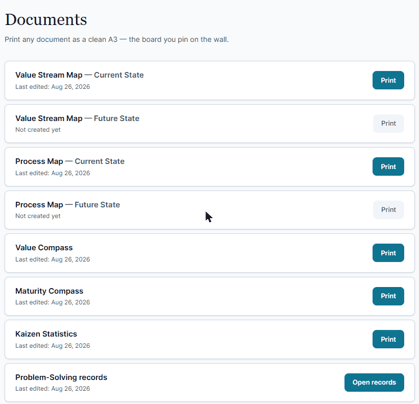 Documents — the board you pin on the wallThe whole Space as branded A3 sheets — maps, compasses and Kaizen cards, designed to go on a wall rather than into a folder.Updated 17 Sept 2026Read →
 - 12Your planWhat each plan covers, what happens to your Spaces when you change it, and what you keep if you stop subscribing.Updated 17 Sept 2026Read →
- 13Three things that trip people upThe mistakes that stop new users in their first week, what actually causes each one, and the quickest way past them.Updated 17 Sept 2026Read →
New chapters appear here the week the module ships — nothing is announced before it exists.