LTC-OSLibrary
LiveChapter 4·Updated 17 Sept 2026

Maturity Compass — the inward look

The Value Compass asks what the customer needs. The Maturity Compass asks the other question: how well does your current process deliver that value? Five process axes — rated Current vs Target the same way, with the same kind of grading anchors.

Open it from the Compass banner (Audit maturity (5 min)) or the Space menu.
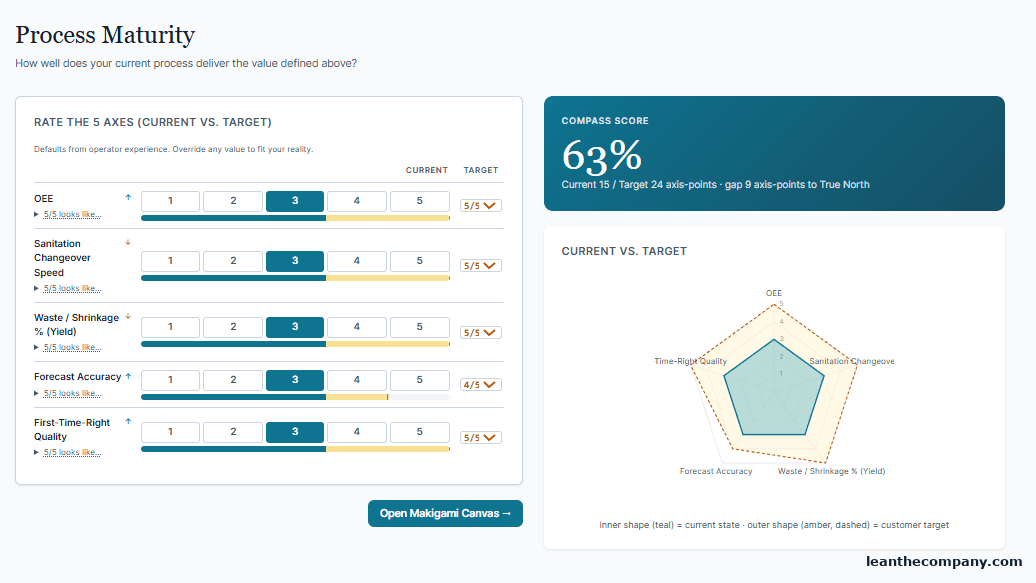
Figure 4.1 — A rated Maturity Compass — 63 %, gap 9 axis-points. A self-assessment: your own honest rating.

Rate it honestly, revisit it as the work progresses — when both compasses say good enough and stable, that's a Space telling you it's ready to graduate.

The little compass widget on your canvases toggles between V (value) and M (maturity) so both gaps stay visible while you map.
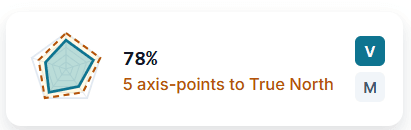
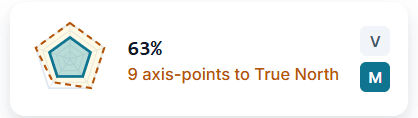
Figure 4.2 — The compass widget on any canvas, set to V — the Value Compass at 78 %, 5 axis-points from True North.
Figure 4.3 — The same widget on M — the Maturity Compass at 63 %, 9 axis-points. Both gaps stay with you while you map.