A swim-lane map of who does what, drawn from a simple Process Card. You fill in a card; the software draws the map.
The Process Card
- Process name and Purpose (1–3 sentences — what does this process exist to do?). Purpose is required, and typed by you — grey text is an example, not your answer.
- Trigger event and Outcome event — what starts the process and what "done" looks like.
- Value Compass linkage — which axes this process contributes to (High / Medium / Low / N/A).
- Known pain points — tag the wastes you already see; Sensei will dig deeper later.
- RACI matrix — rows are activities (+ Add activity, or + Add sub-task for inside-the-step detail), columns are roles (+ Add role). Cells cycle empty → R → A → C → I → R/A. A row is complete when it has at least one R and exactly one A. A row missing either one is outlined in red the moment the card opens — you never have to press anything to find out which rows need work. + Add role opens the role catalogue — seventeen standard roles, from Operator and Team Leader through Quality, Maintenance, Planning and Safety — and it is the same catalogue the Kaizen owner and the Kaizen team read from, so a role is named once and spelled the same everywhere. Pick — Other — to type your own; a role you type belongs to that project. ⚑ A role's name is yours: type it once and it shows exactly as you typed it, in English, Swedish and Chinese alike. The interface is translated; your vocabulary is not.
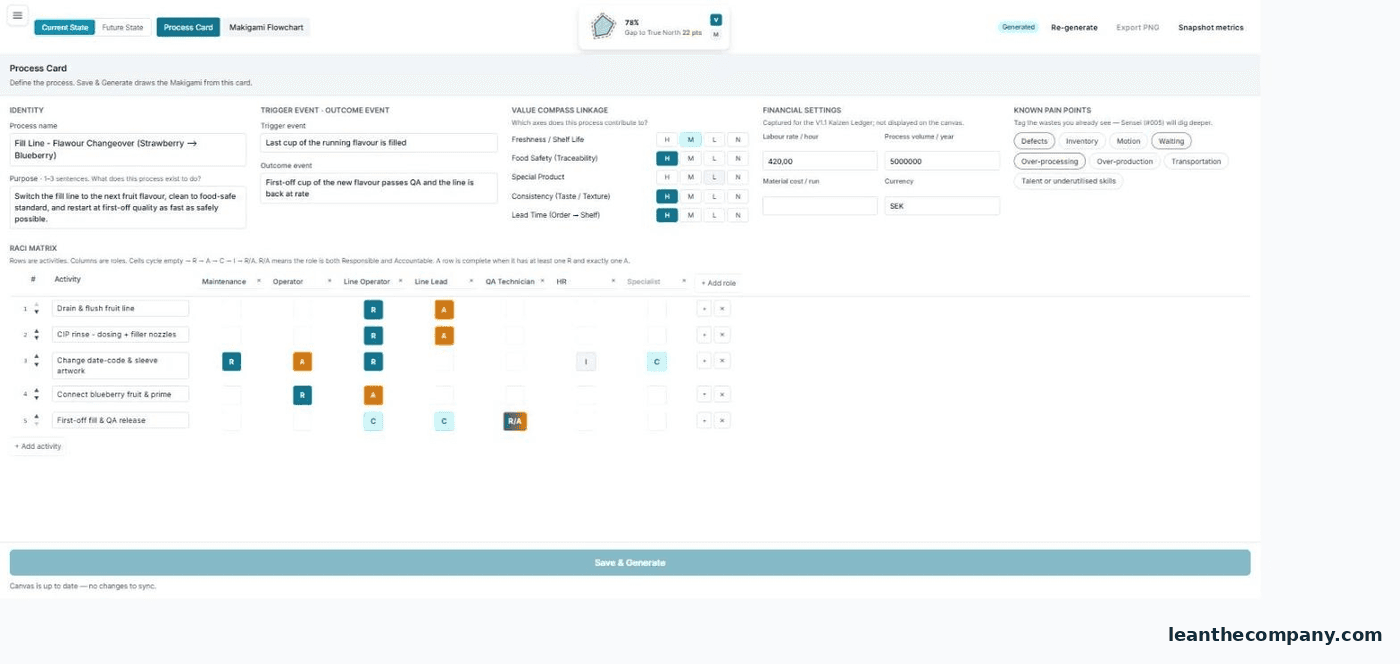
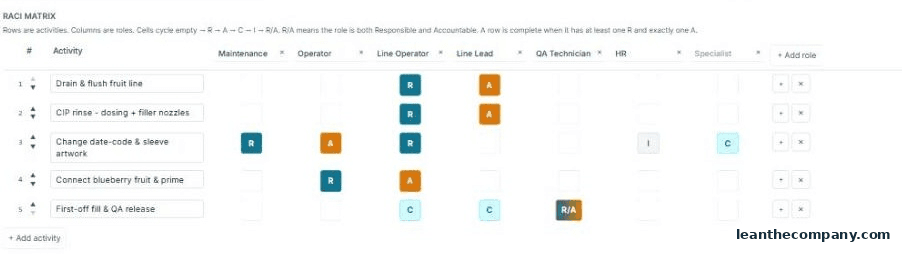
Click Save & Generate to draw the flowchart. Greyed out? The line beneath it tells you exactly what is missing — a process name, a typed purpose, at least one activity, or how many rows are still short of an R or an A. When it is the rows, the number and the red outlines always agree.
The flowchart
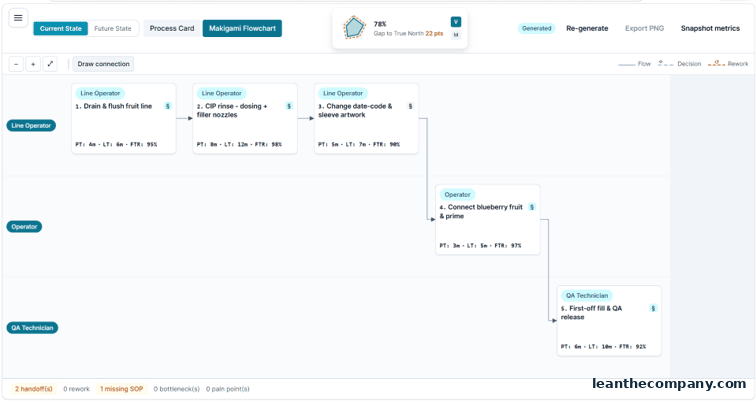
Open any step to set Processing time, Lead time, First-time-right, the value classification (Value-add / Necessary NVA / Waste), waste tags, the IT system used, and the SOP link. The footer counts what the map found: handoffs, rework, pain points, missing SOPs, bottlenecks.
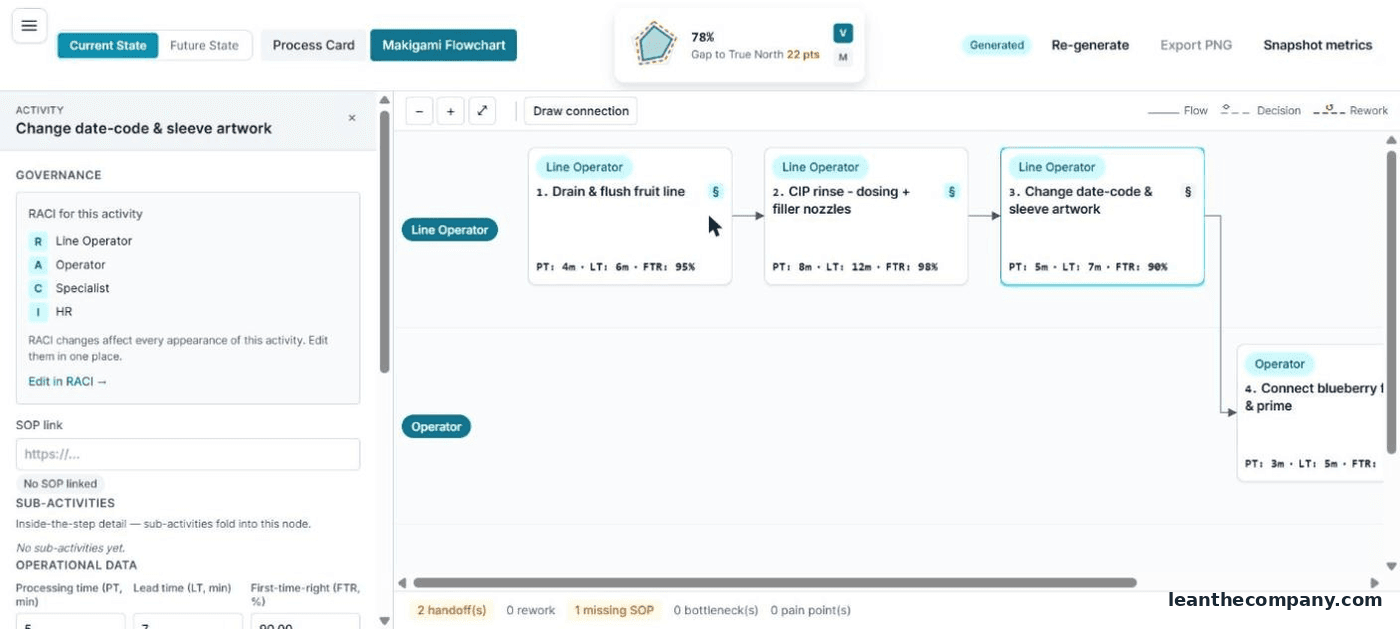
- Draw connection adds flows the card can't derive — Flow or Decision — for the loops real processes have.
- Current State / Future State: clone the Current map (Create Future State from Current) and redesign freely — the Current map stays untouched.
- Changed the card after generating? The banner tells you the matrix and canvas are out of sync — Re-generate re-derives (it asks before discarding canvas edits).
Tip — the Makigami is the back-office twin of the VSM: sales, engineering, purchasing — every handoff and every wait the shop floor never sees.